
 Sign in with Facebook
 Sign in with Google
 Sign in with Apple


9 Best Mobile Phones for Seniors: Easy-to-Use & Affordable Options
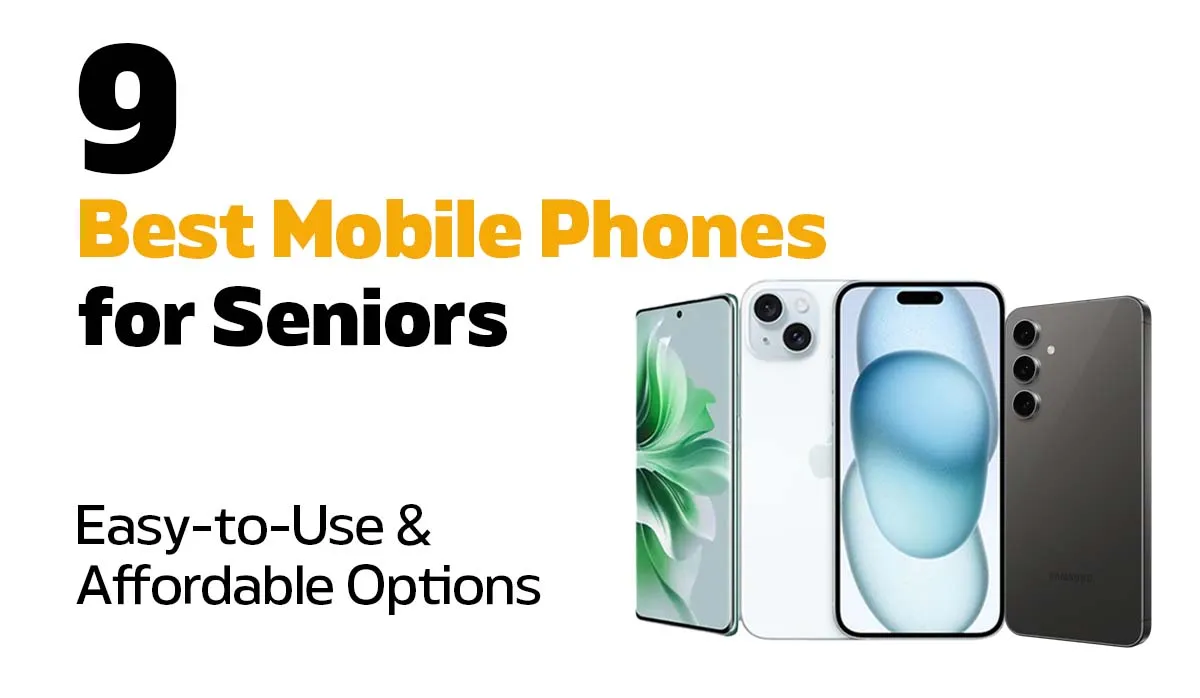
Buying a mobile phone for the elderly or even yourself can feel overwhelming. Do you go for the latest smartphone, or something with big buttons and a simple menu? But here’s the good news. There are plenty of phones made with seniors in mind that balance ease, reliability, and affordability.
Why Choosing the Right Mobile Phone for the Elderly Matters
For younger generations, phones are about streaming, social media, and endless apps. But for seniors, priorities often look different. The ideal old person's phone should:
- Have a clear screen or big buttons for easy use.
- Be simple to navigate without complicated menus.
- Deliver loud, clear calls and notifications.
- Offer good value without unnecessary features.
- Be reliable, so it doesn’t quit when you need it most.
With that in mind, let's take a look at the best mobile phones for seniors in 2026.
Best Mobile Phones for Seniors in 2026
Here are our top picks to make your decision easier:
- Apple iPhone 16 – Starts from A$999
- Apple iPhone 15 – Starts from A$729
- Samsung Galaxy S24 – Starts from A$699
- Apple iPhone 14 Pro – Starts from A$629
- Motorola Moto Razr 40 Ultra – Starts from A$499
- One Plus 10 Pro – Starts from A$469
- Oppo Reno 10 Pro Plus – Starts from A$449
- Samsung Galaxy A55 – Starts from A$379
- Apple iPhone SE (3rd Gen) – Starts from A$239
Related Products
![Apple iPhone SE 5G 3rd Gen (64GB) [Grade A]](https://www.phonebot.com.au/image/cache/catalog/refurbished/apple/se-3/se-3-black-200x170.jpg "Apple iPhone SE 5G 3rd Gen (64GB) [Grade A]")
![Apple iPhone 14 Pro 5G (128GB) [Grade A]](https://www.phonebot.com.au/image/cache/catalog/refurbished/apple/iphone-14/iphone-14-pro/Iphone-14-pro-200x170.jpg "Apple iPhone 14 Pro 5G (128GB) [Grade A]")
![Apple iPhone 15 5G (128GB) [Grade A]](https://www.phonebot.com.au/image/cache/catalog/refurbished/apple/iphone-15/apple-iphone-15-plus-blue-200x170.jpg "Apple iPhone 15 5G (128GB) [Grade A]")
![Samsung Galaxy S24 5G (256GB) [Grade A]](https://www.phonebot.com.au/image/cache/catalog/refurbished/samsung/galaxy-s24/samsung-galaxy-s24-onyx-blackk-200x170.jpg "Samsung Galaxy S24 5G (256GB) [Grade A]")
ONLY 1 LEFT
![Samsung Galaxy A55 5G Dual Sim (128GB) [Grade A]](https://www.phonebot.com.au/image/cache/catalog/refurbished/samsung/galaxy-a55-5g/samsung-galaxy-a55-navy-200x170.jpg "Samsung Galaxy A55 5G Dual Sim (128GB) [Grade A]")
![Apple iPhone 16 5G (128GB) [Like New]](https://www.phonebot.com.au/image/cache/catalog/refurbished/apple/iphone-16/apple-iphone-16-ultramarine-200x170.jpg "Apple iPhone 16 5G (128GB) [Like New]")
ONLY 1 LEFT
ONLY 1 LEFT
ONLY 1 LEFT
![Oppo Reno10 Pro Plus 5G (256GB) [Like New]](https://www.phonebot.com.au/image/cache/catalog/refurbished/oppo/reno10-pro-plus/oppo-reno10-pro-plus-silvery-grey-200x170.jpg "Oppo Reno10 Pro Plus 5G (256GB) [Like New]")
ONLY 1 LEFT
iPhone 16
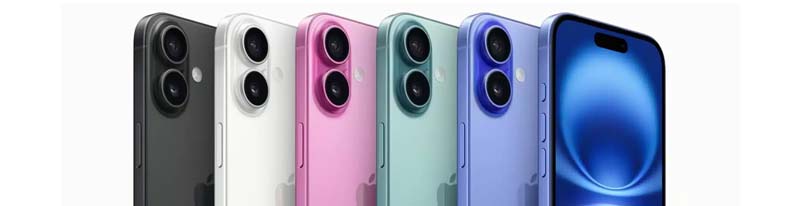
The iPhone 16 is Apple's latest flagship, and for good reason. It's powerful, intuitive, and comes with everything seniors need to stay connected without the learning curve. Face ID means no more typing in passwords, and the bright display makes reading texts and emails effortless. Video calls with family are smooth and reliable, whether you're using FaceTime or any other app.
Why seniors will love it:
- A big, bright screen that's easy on the eyes.
- Quick unlocking with Face ID or Touch ID.
- Smooth for calls, apps, and FaceTime.
- Works seamlessly with other Apple devices.
What's not perfect: It's pricey, and the size can feel bulky for small hands.
iPhone 15
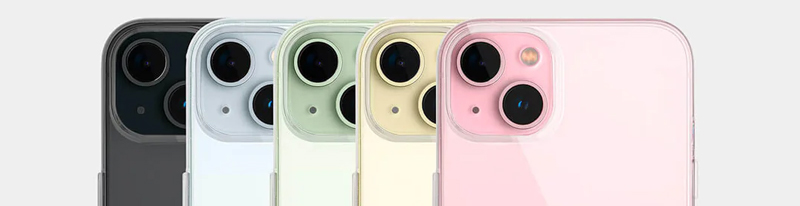
The iPhone 15 is huge, but don’t let that scare you. Reading texts or emails feels effortless, and Face ID means no more typing in long passwords. Video calls are smooth, too, which is perfect if your family is scattered across the country.
What seniors will love:
- A big, bright screen that’s easy on the eyes.
- Quick unlocking with Face ID or Touch ID.
- Smooth for calls, apps, and FaceTime.
- Works seamlessly with other Apple devices.
What’s not perfect: It’s pricey, and the size can feel bulky for small hands.
Looking to explore other Apple options? Be sure to check out our range of refurbished iPhones.
Samsung Galaxy S24

The Samsung Galaxy S24 is sleek, modern, and surprisingly easy to set up for seniors. It may look like a top-tier smartphone, but the features can be customised to make it simple and straightforward to use. No unnecessary clutter, just the essentials.
Why it’s a good pick for seniors:
- High-contrast display that’s easy to read.
- Long-lasting battery with fast charging.
- Customisable fonts, accessibility features, and larger icons.
- Clean interface without unnecessary clutter.
- Seniors in Australia who want modern performance without feeling overwhelmed will find the Galaxy S24 an excellent option.
What’s not perfect: Can feel a bit overwhelming if not set up in Easy Mode first.
For more Samsung options, see refurbished Samsung Galaxy phones.
iPhone 14 Pro
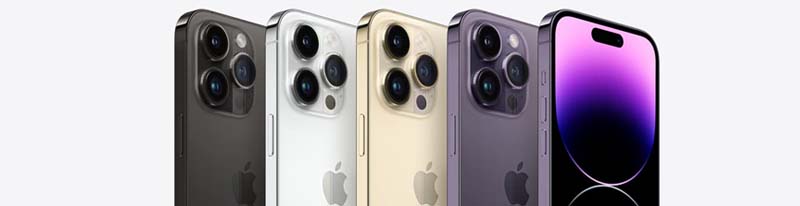
The iPhone 14 Pro offers premium Apple performance at a more accessible price point. Seniors who want a reliable, fast iPhone without spending top dollar will appreciate everything this phone brings to the table. The always-on display makes checking the time and notifications effortless, and Face ID keeps things simple and secure.
Why it's a good pick for seniors:
- Reliable Face ID for quick, password-free unlocking.
- Excellent camera for capturing family moments.
- Bright, always-on display for easy glancing.
- Smooth performance for calls, apps, and FaceTime.
What's not perfect: The Pro camera features may feel excessive for seniors who just want simple snapshots.
Motorola Moto Razr 40 Ultra
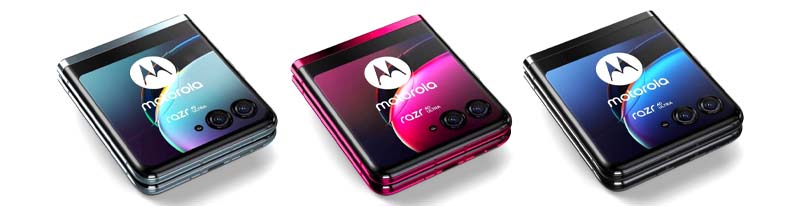
The Motorola Razr was a classic in the early 2000s, and now it’s back with a modern twist. Seniors who loved flip phones but want smartphone features will find this model familiar and practical.
Why it’s a good pick for seniors:
- Flip design protects the screen
- External display shows time and incoming calls
- Voice commands allow hands-free use
- Stylish and compact for easy handling
- It’s pricier than simpler models, but for seniors who still want a stylish phone that feels familiar, the Motorola Moto Razr 40 Ultra makes sense.
What’s not perfect: The smaller main screen, when flipped closed, can be tricky for seniors. This makes it less convenient as a cell phone for old people who need larger displays.
One Plus 10 Pro

The OnePlus 10 Pro feels fast and responsive. Everything opens smoothly messages, calls, even photos. The layout is simple, and the screen is big enough that you won’t need glasses to read. It’s light enough to hold comfortably, even for a long chat with the grandkids.
- Solid call quality and reception
- Quick fingerprint and face unlock
- Reliable performance for everyday use
- Fast charging keeps you connected
- Light and easy to hold
What’s not perfect: Software updates are limited to three years
If you’re considering a device that balances comfort, speed, and ease of use, the OnePlus 10 Pro is a dependable choice. You can also browse other OnePlus smartphones
for more models that suit different budgets and preferences.
Oppo Reno 10 Pro Plus

Some seniors enjoy snapping photos of family, pets, or even their garden. However, fiddling with settings can be frustrating. The Oppo Reno 10 Pro Plus combines an easy-to-use interface with an excellent camera, making capturing memories enjoyable rather than stressful. For those who want a balance of simplicity and value, Oppo refurbished phones are also worth considering.
Why it's a good pick for seniors:
- Elegant and comfortable, feels good in the hand.
- Vibrant AMOLED display.
- Simple and intuitive ColorOS interface.
- Affordable with solid features.
What's not perfect: The display isn't the brightest in its class, and the phone comes with some pre-installed apps (bloatware) that may need to be removed for a cleaner experience.
Samsung Galaxy A55
.jpeg)
The Samsung Galaxy A55 is the sweet spot for seniors who want a reliable, no-fuss smartphone without spending a fortune. It carries Samsung's trusted build quality, a bright easy-to-read screen, and long battery life that won't leave you scrambling for a charger mid-day. Set it up in Easy Mode and it becomes one of the most approachable phones on this list.
Why it's a good pick for seniors:
- Clear, vibrant display that's easy to read indoors and outdoors.
- Long battery life for all-day use.
- Easy Mode simplifies the interface for first-time smartphone users.
- Solid camera for everyday photos.
- Affordable without feeling cheap.
What's not perfect: Not as powerful as flagship models, but for everyday use, most seniors will never notice the difference.
iPhone SE (3rd Gen)
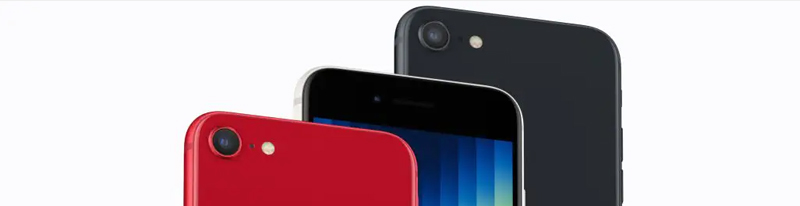
Apple phones can look intimidating at first, but the iPhone SE (3rd Gen)is surprisingly straightforward. It has the speed and reliability of newer iPhones, without the bulky size. Seniors will appreciate its familiar home button and clear, bright screen.
Why it’s a good pick for seniors:
- Compact design, easier to hold than larger iPhones
- Touch ID fingerprint unlock (no need for long passwords)
- Bright Retina HD display, clear indoors and outdoors
- FaceTime for simple video calls
- Siri voice control for hands-free use
What’s not perfect: The smaller screen isn’t ideal if you struggle with eyesight.
Why it’s a good pick for seniors:
- Elegant and comfortable, feels good in the hand
- Vibrant 6.7-inch AMOLED display
- Simple and intuitive ColorOS interface
- Affordable with solid features
What’s not perfect: The display isn’t the brightest in its class, and the phone comes with some pre-installed apps (bloatware) that may need to be removed for a cleaner experience.
Making your Phone More Elderly-Friendly
If you’ve recently upgraded your phone and have an older model sitting around, or if a loved one struggles with their current device, there’s no need to worry. Most phones these days include built-in accessibility options that make them much easier to use. You can:
- Increase the font size for easier reading
- Activate voice controls so they can navigate apps, search online, or send commands just by speaking
- Enable voice-to-text to avoid typing long messages
- Simplify the interface by removing unnecessary apps and keeping only the essentials
Buying Guide for Seniors
Keep it Simple
No one wants a phone that feels like a puzzle. Look for big, easy-to-read icons, simple menus, and a touchscreen that responds well. For seniors who struggle with tiny buttons or complex layouts, a straightforward interface makes daily use much easier.
Comfort and Durability
The phone should feel comfortable in the hand. Lightweight models are easier to hold for longer calls, and a compact design makes it simple to carry. Sturdy construction is key—accidental drops happen, and a well-built phone can take the knocks.
Battery That Lasts
Long battery life is a lifesaver. Seniors may forget to charge their phones regularly, so pick one that can last a full day or more. Extra power-saving modes are a bonus as the stretch usage when it matters most.
Clear Calls and Reliable Signal
Missed calls and crackly conversations are frustrating. Choose a phone that connects easily to Australian networks and delivers strong, clear calls. For example, refurbished Samsung phones offer reliable performance and call quality at various price points.
Safety First
Phones can do more than make calls. They can provide peace of mind. SOS buttons, GPS tracking, and hearing aid compatibility give seniors confidence and allow family members to feel secure knowing help is just a tap away.
Why Refurbished Phones Are Ideal
Buying a new phone isn’t always necessary, especially if you’re looking for something reliable and affordable. Refurbished phones can be a smart choice for seniors. They’re carefully tested for quality, often come with warranties, and cost a fraction of brand-new models.
Unlocked mobile phones for the elderly offer extra flexibility. They work with any network, so you can choose a plan that fits your needs. Even better, Phonebot backs every refurbished phone with a warranty and easy returns, making it simple to replace or fix your device if something goes wrong.
For more tips on choosing a safe, senior-friendly phone, see our Refurbished Phones buying Guide.
Final Thoughts
Picking a good phone for seniors doesn’t have to be stressful. Whether it’s a flip phone with large buttons or a simple, easy-to-use smartphone, there’s an option to suit every need and budget. Shopping in Australia? Refurbished phones can offer great savings without compromising on quality.
It’s normal to be skeptical, but refurbished phones are just as reliable as new ones, especially when you buy from a trusted provider like Phonebot, where devices come with warranties, support, and peace of mind.
Posted by Liam Harris


Liam Harris
I’m Liam Harris, a tech writer at Phonebot with a passion for technology. I provide trusted insights on refurbished phones, tablets, and accessories, focusing on quality, sustainability, and affordability. With a solid understanding of the refurbished market, I offer practical tips, product comparisons, and the latest tech updates to help you make informed decisions. My goal is to connect you with high-quality devices that fit your budget and lifestyle. Stay tuned for more on the best in refurbished tech here at Phonebot.

 Google
 Apple
Apple Facebook