
 Sign in with Facebook
 Sign in with Google
 Sign in with Apple


9 Best Mobile Phones for Seniors: Easy-to-Use & Affordable Options
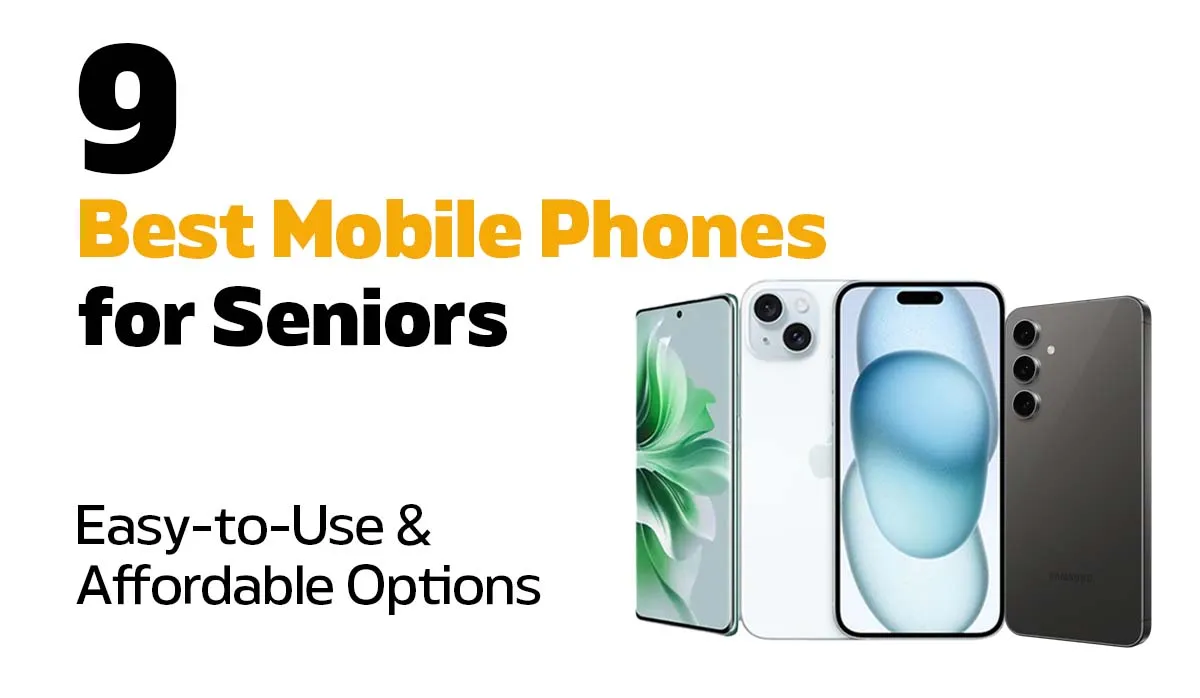
Quick answer: The best mobile phone for seniors in Australia is the refurbished Samsung Galaxy A55 at A$369, thanks to Easy Mode, a bright easy-to-read screen, and an all-day battery. If you want something smaller and simpler, the iPhone SE (3rd Gen) at A$199 keeps the familiar home button and Touch ID. Seniors who miss a flip phone should take the Motorola Razr 40 Ultra at A$349. For anyone worried about scam calls, the Google Pixel 8 5G at A$399 screens unknown callers before the phone even rings. And if budget isn't a concern, the iPhone 17 at A$1,199 is the easiest premium phone to live with. Every phone here is refurbished, professionally graded, unlocked for all Australian carriers, and backed by a 12-month warranty from Phonebot, an Australian refurbished-phone retailer based in Melbourne.
Buying a mobile phone for the elderly or even yourself can feel overwhelming. Do you go for the latest smartphone, or something with big buttons and a simple menu? But here's the good news. There are plenty of phones made with seniors in mind that balance ease, reliability, and affordability.
Why Choosing the Right Mobile Phone for the Elderly Matters
For younger generations, phones are about streaming, social media, and endless apps. But for seniors, priorities often look different. The ideal older person's phone should:
- Have a clear screen or big buttons for easy use.
- Be simple to navigate without complicated menus.
- Deliver loud, clear calls and notifications.
- Offer good value without unnecessary features.
- Be reliable, so it doesn't quit when you need it most.
With that in mind, let's take a look at the best mobile phones for seniors in 2026.
Best Mobile Phones for Seniors in 2026
Here are our top picks to make your decision easier:
- Apple iPhone 17 – Starts from A$1,199
- Apple iPhone 16 – Starts from A$919
- Apple iPhone 15 – Starts from A$679
- Apple iPhone 14 Pro – Starts from A$669
- Samsung Galaxy S24 – Starts from A$559
- Google Pixel 8 5G – Starts from A$399
- Samsung Galaxy A55 – Starts from A$369
- Motorola Razr 40 Ultra – Starts from A$349
- Apple iPhone SE (3rd Gen) – Starts from A$199
Related Products
![Apple iPhone SE 5G 3rd Gen (64GB) [Grade A]](https://www.phonebot.com.au/image/cache/catalog/refurbished/apple/se-3/se-3-black-200x170.jpg "Apple iPhone SE 5G 3rd Gen (64GB) [Grade A]")
![Samsung Galaxy S24 5G (256GB) [Grade A]](https://www.phonebot.com.au/image/cache/catalog/refurbished/samsung/galaxy-s24/samsung-galaxy-s24-onyx-blackk-200x170.jpg "Samsung Galaxy S24 5G (256GB) [Grade A]")
![Samsung Galaxy A55 5G Dual Sim (128GB) [Grade A]](https://www.phonebot.com.au/image/cache/catalog/refurbished/samsung/galaxy-a55-5g/samsung-galaxy-a55-navy-200x170.jpg "Samsung Galaxy A55 5G Dual Sim (128GB) [Grade A]")
ONLY 1 LEFT
![Apple iPhone 16 5G (128GB) [Grade A]](https://www.phonebot.com.au/image/cache/catalog/refurbished/apple/iphone-16/apple-iphone-16-ultramarine-200x170.jpg "Apple iPhone 16 5G (128GB) [Grade A]")
![Apple iPhone 17 5G (256GB) [Like New]](https://www.phonebot.com.au/image/cache/catalog/refurbished/apple/iphone-17/apple-iphone-17-mist-black-200x170.jpg "Apple iPhone 17 5G (256GB) [Like New]")
ONLY 1 LEFT
iPhone 17
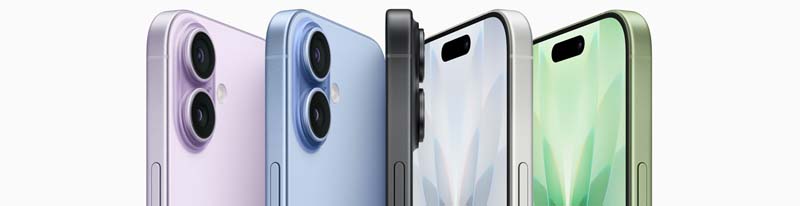
The iPhone 17 is Apple's newest standard model, and it's the easiest premium phone on this list to live with. This is the first non-Pro iPhone with a ProMotion display, which means the screen is both smoother and brighter than any iPhone before it at this level, and text stays crisp and readable even in direct sunlight.
For seniors, the practical wins are simple. Face ID means no passwords to remember, the A19 chip keeps everything responsive for years to come, and because this is the newest generation, it has the longest software support window of anything here. Video calls with family are effortless, whether on FaceTime or any other app.
Why seniors will love it:
- Bright, smooth ProMotion display that's easy on the eyes.
- Quick unlocking with Face ID, no passwords needed.
- Longest software support of any phone on this list.
- Works seamlessly with other Apple devices.
What's not perfect: It's the most expensive phone here, and the size can feel bulky for small hands.
iPhone 16
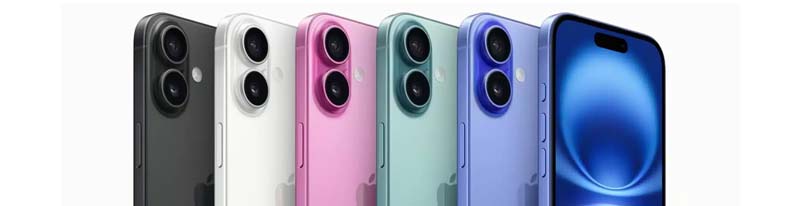
The iPhone 16 is the best modern iPhone for most seniors, and at A$919 it now costs considerably less than the iPhone 17 while doing nearly everything the same way. It's powerful, intuitive, and comes with everything seniors need to stay connected without the learning curve.
Face ID means no more typing in passwords, and the bright display makes reading texts and emails effortless. The Action button can be set to one thing you use often, like the torch or the camera, which is genuinely handy if you'd rather not hunt through menus.
Why seniors will love it:
- A big, bright screen that's easy on the eyes.
- Quick unlocking with Face ID.
- Customisable Action button for one-press shortcuts.
- Smooth for calls, apps, and FaceTime.
What's not perfect: Still a premium price, and the size can feel bulky for small hands.
iPhone 15
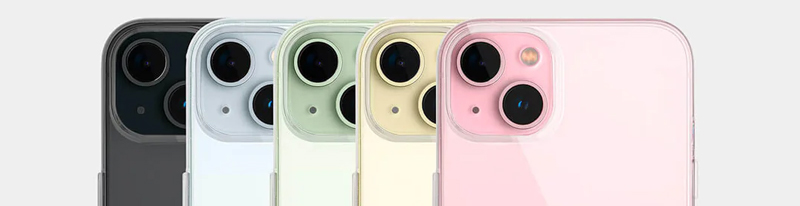
The iPhone 15 is large, but don't let that scare you. Reading texts or emails feels effortless, and Face ID means no more typing in long passwords. Video calls are smooth, too, which is perfect if your family is scattered across the country.
It was also the generation that brought USB-C to the iPhone, so it charges with the same cable as most modern devices, including many iPads, laptops, and Android phones. That's one less cable to keep track of.
It sits just A$10 above the iPhone 14 Pro below, so the two are worth comparing directly. The iPhone 15 is newer and will receive iOS updates for longer; the 14 Pro has the always-on display, which many seniors find more useful day-to-day.
What seniors will love:
- Large 6.1-inch display with excellent brightness outdoors.
- Face ID unlocking, no passwords to remember.
- USB-C charging, the same cable as most modern devices.
- Years of iOS updates still ahead of it.
What's not perfect: Still a premium price, and the flat edges can feel sharp during long calls.
Looking to explore other Apple options? Be sure to check out our range of refurbished iPhones.
iPhone 14 Pro
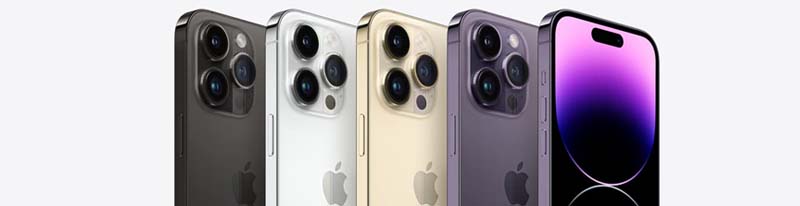
The iPhone 14 Pro offers premium Apple performance at a more accessible price point, and at A$669 it is now the cheapest iPhone here with a Pro camera system. Seniors who want a reliable, fast iPhone without spending top dollar will appreciate everything this phone brings to the table.
The always-on display is the standout for older users. The time, the date, and any notifications stay visible without touching the phone or pressing a button, which sounds minor but removes a step from something you do dozens of times a day. Face ID keeps unlocking simple and secure.
Why it's a good pick for seniors:
- Reliable Face ID for quick, password-free unlocking.
- Excellent camera for capturing family moments.
- Bright, always-on display for easy glancing.
- Smooth performance for calls, apps, and FaceTime.
What's not perfect: The Pro camera features may feel excessive for seniors who just want simple snapshots.
Samsung Galaxy S24

The Samsung Galaxy S24 is sleek, modern, and surprisingly easy to set up for seniors. It may look like a top-tier smartphone, but the features can be customised to make it simple to use. No unnecessary clutter, just the essentials.
It's also one of the more compact phones here at 6.2 inches, which makes it easier to hold and pocket than most modern flagships, and Samsung supports it with years of software updates.
Why it's a good pick for seniors:
- High-contrast display that's easy to read.
- Long-lasting battery with fast charging.
- Customisable fonts, accessibility features, and larger icons.
- Clean interface without unnecessary clutter.
Seniors in Australia who want modern performance without feeling overwhelmed will find the Galaxy S24 an excellent option.
What's not perfect: Can feel a bit overwhelming if not set up in Easy Mode first.
For more Samsung options, see refurbished Samsung Galaxy phones.
Google Pixel 8 5G

The Google Pixel 8 is the pick for anyone worried about scam calls, and that makes it one of the most genuinely useful phones on this list for older users. Google's Call Screen feature answers unknown numbers for you, asks the caller who they are and why they're ringing, and shows you a live transcript on screen. Most scam and spam calls hang up before it ever rings.
Beyond that, it runs clean Android with no clutter or duplicate apps, the 6.2-inch screen is compact enough to hold comfortably, and Google guarantees software and security updates through 2030, which is longer than almost anything at this price. The camera is excellent too, and it needs no fiddling to take a good photo.
Why it's a good pick for seniors:
- Call Screen filters out scam and spam calls before they ring.
- Clean, uncluttered Android with no unnecessary pre-installed apps.
- Compact 6.2-inch size that's easy to hold.
- Excellent point-and-shoot camera with no settings to adjust.
- Security updates guaranteed through 2030.
What's not perfect: Call Screen works best with an Australian number and takes a little setting up, and the screen is smaller than the larger phones on this list.
Samsung Galaxy A55
.jpeg)
The Samsung Galaxy A55 is the sweet spot for seniors who want a reliable, no-fuss smartphone without spending a fortune. It carries Samsung's trusted build quality, a bright easy-to-read screen, and long battery life that won't leave you scrambling for a charger mid-day. Set it up in Easy Mode and it becomes one of the most approachable phones on this list.
Easy Mode is the reason this is our top pick. It enlarges every icon and font across the whole phone, simplifies the home screen down to the essentials, and makes the keyboard easier to hit accurately. It takes about a minute to switch on and it transforms how the phone feels to use.
Why it's a good pick for seniors:
- Clear, vibrant display that's easy to read indoors and outdoors.
- Long battery life for all-day use.
- Easy Mode simplifies the interface for first-time smartphone users.
- Solid camera for everyday photos.
- Affordable without feeling cheap.
What's not perfect: Not as powerful as flagship models, but for everyday use, most seniors will never notice the difference.
Motorola Razr 40 Ultra
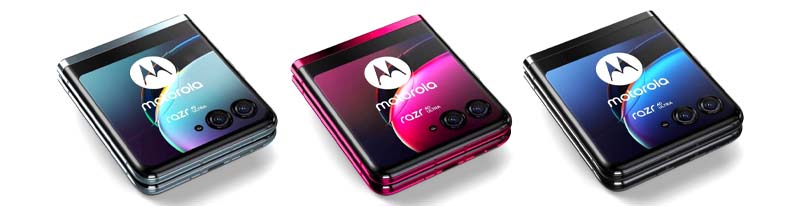
The Motorola Razr was a classic in the early 2000s, and now it's back with a modern twist. Seniors who loved flip phones but want smartphone features will find this model familiar and practical. Flipping it shut to end a call is a small thing, but it's a habit that never really went away.
At A$349 it is also the second-cheapest phone on this list, which makes it an easy recommendation for anyone who wants that familiar clamshell shape without paying a premium for it. Folded, it slips into a pocket or handbag far more easily than any of the larger phones above.
Why it's a good pick for seniors:
- Flip design protects the screen.
- External display shows time and incoming calls.
- Voice commands allow hands-free use.
- Stylish and compact for easy handling.
- Second-lowest price on this list.
What's not perfect: The smaller cover screen, when the phone is flipped closed, can be tricky for seniors. This makes it less convenient as a cell phone for old people who need larger displays.
iPhone SE (3rd Gen)
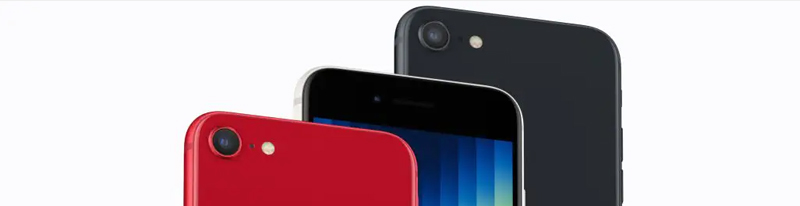
Apple phones can look intimidating at first, but the iPhone SE (3rd Gen) is surprisingly straightforward. It has the speed and reliability of newer iPhones, without the bulky size. Seniors will appreciate its familiar home button and clear, bright screen.
At A$199 it's also the cheapest phone here by a wide margin. For anyone moving from an older iPhone, the home button and Touch ID will feel immediately familiar, with no new gestures to learn.
Why it's a good pick for seniors:
- Compact design, easier to hold than larger iPhones.
- Touch ID fingerprint unlock, no need for long passwords.
- Familiar home button for anyone upgrading from an older iPhone.
- Bright Retina HD display, clear indoors and outdoors.
- FaceTime and Siri voice control for hands-free use.
What's not perfect: The smaller screen isn't ideal if you struggle with eyesight.
Buying for a parent or grandparent?
Every phone on this list is refurbished, unlocked for all Australian carriers, and ready to set up out of the box.
See our easy, affordable phones →From A$199 · 72-point tested · 12-month warranty · 30-day returns
Making Your Phone More Elderly-Friendly
If you've recently upgraded your phone and have an older model sitting around, or if a loved one struggles with their current device, there's no need to worry. Most phones these days include built-in accessibility options that make them much easier to use. You can:
- Increase the font size for easier reading.
- Activate voice controls so they can navigate apps, search online, or send commands just by speaking.
- Enable voice-to-text to avoid typing long messages.
- Simplify the interface by removing unnecessary apps and keeping only the essentials.
- Turn on Easy Mode on Samsung phones, or Display Zoom on iPhones, to enlarge everything at once.
Buying Guide for Seniors
Keep It Simple
No one wants a phone that feels like a puzzle. Look for big, easy-to-read icons, simple menus, and a touchscreen that responds well. For seniors who struggle with tiny buttons or complex layouts, a straightforward interface makes daily use much easier.
Comfort and Durability
The phone should feel comfortable in the hand. Lightweight models are easier to hold for longer calls, and a compact design makes it simple to carry. Sturdy construction is key, because accidental drops happen, and a well-built phone can take the knocks.
Battery That Lasts
Long battery life is a lifesaver. Seniors may forget to charge their phones regularly, so pick one that can last a full day or more. Extra power-saving modes are a bonus, as they stretch usage when it matters most.
Clear Calls and Reliable Signal
Missed calls and crackly conversations are frustrating. Choose a phone that connects easily to Australian networks and delivers strong, clear calls. For example, refurbished Samsung phones offer reliable performance and call quality at various price points.
Protection From Scam Calls
Older Australians are targeted by phone scams more than any other age group, so call screening is worth looking for. The Google Pixel 8 handles this best with Call Screen, but both iPhone and Samsung also let you silence unknown callers so only saved contacts ring through.
Safety First
Phones can do more than make calls. They can provide peace of mind. SOS buttons, GPS tracking, and hearing aid compatibility give seniors confidence and allow family members to feel secure knowing help is just a tap away.
Why Refurbished Phones Are Ideal
Buying a new phone isn't always necessary, especially if you're looking for something reliable and affordable. Refurbished phones can be a smart choice for seniors. They're carefully tested for quality, often come with warranties, and cost a fraction of brand-new models.
Unlocked mobile phones for the elderly offer extra flexibility. They work with any network, so you can choose a plan that fits your needs. Even better, Phonebot backs every refurbished phone with a warranty and easy returns, making it simple to replace or fix your device if something goes wrong. If budget is your main concern, our cheap mobile phones range is the best place to start.
For more tips on choosing a safe, senior-friendly phone, see our refurbished phones buying guide.
Final Thoughts
Picking a good phone for seniors doesn't have to be stressful. Whether it's a flip phone with large buttons or a simple, easy-to-use smartphone, there's an option to suit every need and budget. Shopping in Australia? Refurbished phones can offer great savings without compromising on quality.
It's normal to be skeptical, but refurbished phones are just as reliable as new ones, especially when you buy from a trusted provider like Phonebot, where devices come with warranties, support, and peace of mind.
Ready to choose?
Simple, reliable phones at a fraction of retail, every one tested, unlocked, and warranty-backed.
Shop easy, affordable phones →Browse all refurbished phones →Posted by Liam Harris


Liam Harris
Liam Harris is a tech writer at Phonebot, covering refurbished phones, tablets and wearables since 2022. His buying guides and model comparisons draw on live Australian market pricing and Phonebot's experience rehoming over one million devices.



 Google
 Apple
Apple Facebook